Want to sew, but not in the mood to make a quilt?

Quilting is fun, but it takes time to complete a quilt. Occasionally, I want a quick finish project to keep me motivated. Yes, I have patterns/tutorials on hand for placemats, potholders, bowl cozies, coasters, drawstring bags and zipper pouches, but sometimes I want something different. Thought I’d share my go-to websites for quick project inspiration (usually free to download).

Moda Bake Shop – use the buttons on the left sidebar to drill down to the type of project you want

Riley Blake Designs – go to the Free Patterns tab and then Sewing Patterns to access project patterns.
(Tip: check the updates tab to see if there are any pattern corrections to your project)

Fabric Editions – click the Projects tab and scroll down to the category of project you want to make.
(Tip: sewing and fabric shops use many of these project ideas in their classes)

We All Sew (sponsored by Bernina) – click on the Projects tab to access different project categories.

Sew 4 Home (sponsored by Janome Canada) – click on Inspire tab and then Sew4Home (also look at Project and Canadian Designers tab for some great options).

JKQuilts – click on Resources and scroll down to Free Patterns to find a wide variety of projects
(Tip: sign up for their monthly newsletter to get free, well-written patterns designed by the shop’s own staff).

Sewcanshe – click on Free Patterns tab.

Apple Green Cottage – close out the pop-up window and scroll down the page to access free patterns.

There’s also Pinterest, Etsy and probably your fave YouTube sewist/crafter that I didn’t mention here. One caveat about Etsy: some patterns are poorly written. If you aren’t familiar with the designer, read customer reviews and see if the pattern is available for sale elsewhere, as well.

A series of three storage pods made using a free pattern from Fabric Editions.
Storage pods made 3 different ways using free pattern from Fabric Editions.

Left – fusible fleece on outer fabric only with SF-101 fusible interfacing on lining.
Center – one piece of lightweight foam in middle (non fusible) – came as a kit with pattern
Right – fusible fleece on outer fabric only

My fave version is the one with the foam; however, I’d use single sided fusible foam to reduce fabric slippage when sewing. If you are a beginner sewist, I highly recommend using the fusible products in the LEFT version. It’ll be much easier to sew and you’ll be very happy with the results.
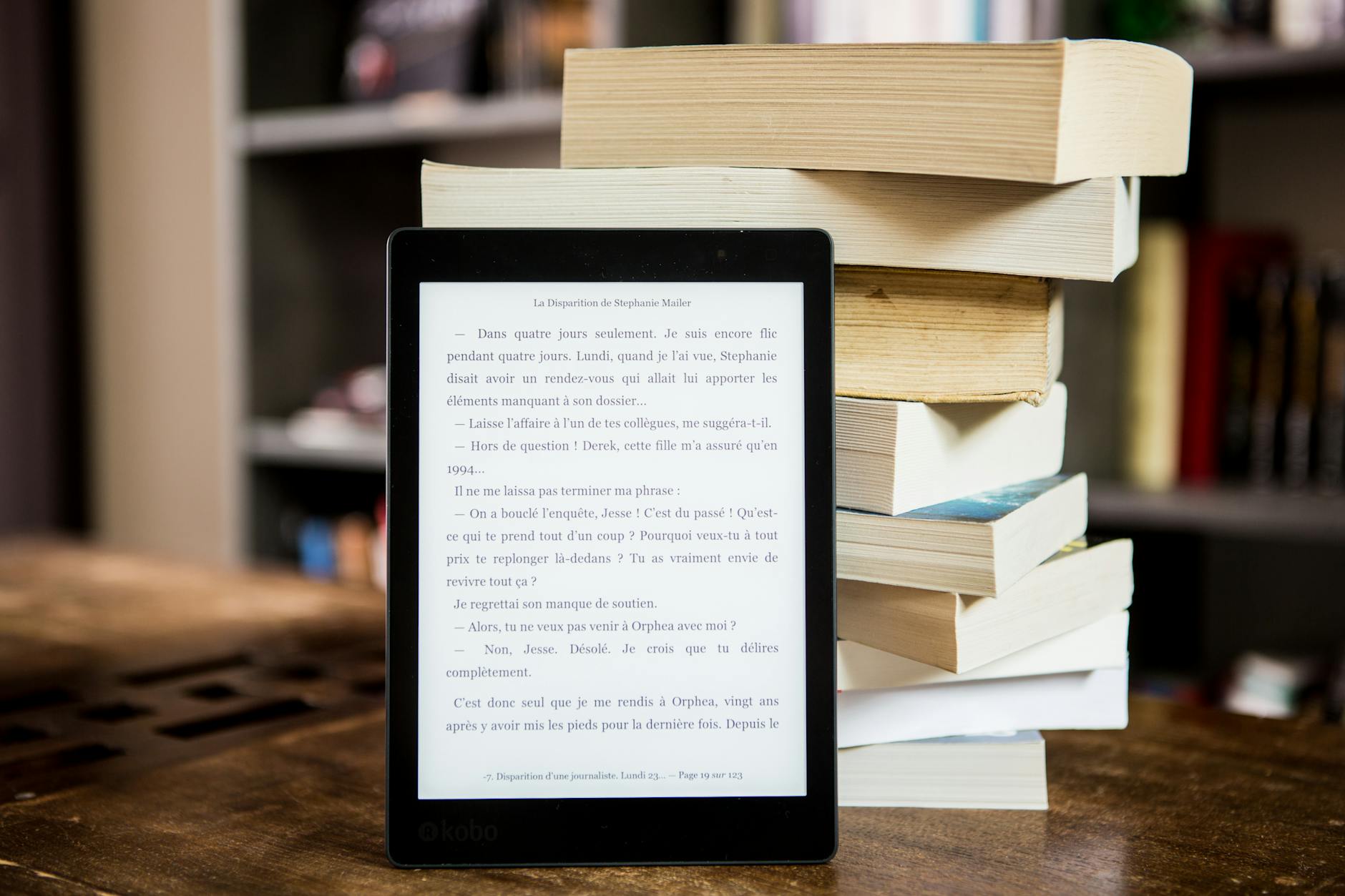
Rediscover the joy of reading

I love to read – most anything non-fiction, magazines and contemporary, realistic fiction. Before retiring, I joined a neighborhood book club – primarily for the social opportunities. Honestly, the group’s collective book choices usually aren’t my cup of tea, but I muddle through. After several months of murder mysteries, WWII spies and a few duds, there’s finally a book I can’t wait to finish – How To Read A Book by Monica Wood. I’ve had the best time streaming this month’s selection while I work in my sewing studio.

I rarely buy books anymore – especially books I’ll read one time. I like to browse the local Barnes & Noble with my Libby app open. If something looks good, I place a hold on the title. My books usually come from the library or via the Libby App. I know the wait for popular titles at my local libraries can be up to 3 months for print, electronic and audiobooks. This is sometimes a challenge when obtaining book club titles. Kindle Unlimited and Everand operate like a paid Libby service, except you have instant access to a lot more stuff. If you are a voracious reader and like to read current bestsellers in an e-book format and/or listen to audiobooks, the $11.99 per month fee seems quite reasonable. Music apps like Spotify also offer access to audiobooks, so it’s worth exploring what options are available to you.

Publishers of quilting books are slowing entering the e-book realm. I attended a class with Christa Watson last year. I was the only attendee with a digital copy of her book. Everyone else came with a print copy, which she autographed for them. Note to self – bring a charged Apple Pencil with you next time and set the pdf copy for markup.

Photo by Perfecto Capucine on Pexels.com

Need a budget-friendly option to quickly cut strips, squares and rectangles?

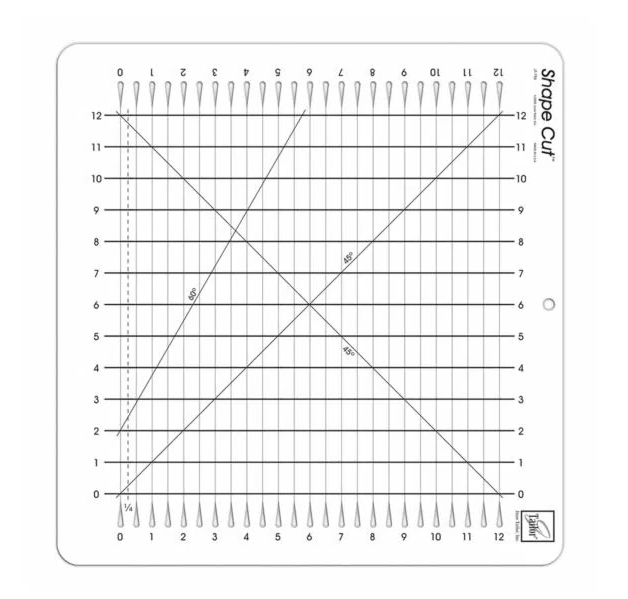
Meet my old friend – the June Tailor Shape Cut ruler. I was introduced to her when I took my first quilting class many moons ago.

A photo showing the Shape Cut ruler from June Tailor.

This is the basic model (JT-796), which can cut strips up to 12″ wide. The cutting slits are marked every 1/2″, so I can easily cut in whole and 1/2″ increments. You can often find this ruler on sale @ Joann or Wal-Mart for about $25.00. Similar rulers are also available on Amazon under a variety of brand names. Just be aware that slit cut/slotted rulers are more flexible than a traditional acrylic quilting ruler. There’s also a similar product called Stripology rulers marketed by Creative Grids. It’s a good product, but much more expensive.

Remember, we’re on a budget here. This $25 ruler will allow you to achieve the same basic functions. The key is to learn how to use the ruler, plus a couple of ruler hacks:

(1) Watch the instructional video distributed by AccuQuilt/June Tailor. (AccuQuilt bought June Tailor in 2023.)
(2) Watch this video from Fat Quarter Shop. The demo uses the Stripology ruler; however many of the same principles apply to all slit cut rulers. I found the part on sub-cutting especially helpful. It is about the 6:15 minute mark in the video.

What if you need to cut strips in 1/4″ or 3/4″ increments? There’s a hack for that, but it depends on which version of the ruler you have. Your 1/4″ line will either be to the left or right of the 0 cutting slit. If your version is like mine with 1/4″ and 3/4″ lines to the LEFT of the 0 cutting slit, I HIGHLY recommend you download and print-out the cutting chart referenced in the Fat Quarter Shop video. These directions work well with this version of the ruler.

Photo showing offset lines for cutting 1/4" and 3/4" strips with June Tailor ruler.
My Shape Cut showing 1/4″ and 3/4″ cutting lines to the left of the 0 cutting slit.

If you have a version which has a dashed 1/4″ line to the RIGHT of the 0 cutting slit, watch this video and reference the cutting chart in the instructions found here. I’ve only found this configuration on the XL version of the ruler in my local shops, although the official AccuQuilt videos and online product literature show the regular version as having the dashed 1/4″ line to the right. Perhaps a product redesign is coming to market soon? Regardless, check which version you have before making any cuts.

Product photo from AccuQuilt site showing 1/4″ line to the right of the 0 cutting slit.

You will essentially make two passes to cut strips in 1/4″ and 3/4″ increments. Same thing applies to sub-cutting into squares and rectangles.. All you have to do is follow the steps on the chart and cut where indicated on each pass. Make sure you are using the appropriate cutting chart for your version of the Shape Cut ruler.

Even with a manual die cutting system, I keep a Shape Cut ruler in my ruler inventory. It’s a handy size and easy to transport to classes/retreats. For small projects or those involving fat quarters, it’s often faster than getting out the Sizzix machine and corresponding AccuQuilt/Sizzix dies.

Tip: If you find you like using slit cut rulers, but want something more substantial like a traditional acrylic ruler, take a look at the Stripology products. They are a lot less “bendy” than the June Tailor versions. The ‘tweens at SQTM Summer Quilt Camp were much more confident with a rotary cutter when they used the Stripology (slit cut) ruler versus a regular quilting ruler.