Hopefully, I can save you time and frustration.
I was trying to program my 8900 to make a single clasp stitch, tie off and cut the threads so my student could easily machine tie/tack her quilt. I dutifully followed the instructions on page 78 in the manual, but could not for the life of me find the L.S. stitch on the stitch chart across the top of the machine. (BTW pressing the tie off button above the reverse button didn’t work either when trying to program the stitch combination.)
It’s not there. Nor is it specifically mentioned in the manual where to find it.
However, take a look at Figure 3 on page 84 in the manual. The square represents a blank space and next to it is the elusive L.S.! You can find the L.S. stitch between stitches 143 and 144 using your jog dial:
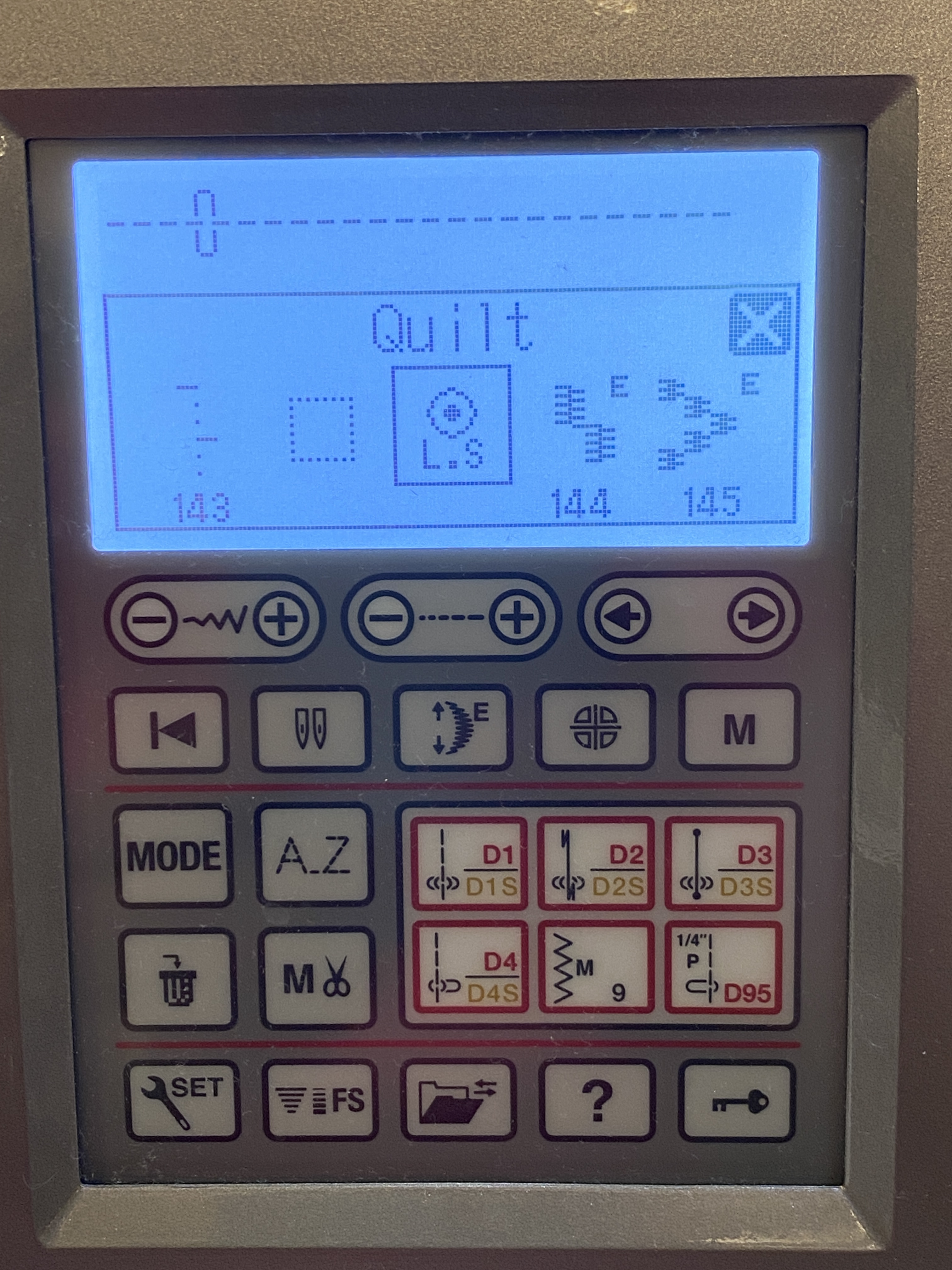
The blank space and L.S. stitch feature can also be found right before the Utility, Heirloom, Quilt, Satin, Bridge, Long and Pictograph stitch groups as you rotate through the stitches using the jog dial. Again, it’s not reflected the stitch chart nor in the manual, but know that it’s there!
Here’s a screenshot of what my clasp stitch programming looks like. We found it’s easier to unplug the foot pedal and use the start/stop feature to make clasp stitches while machine tying/tacking a quilt.
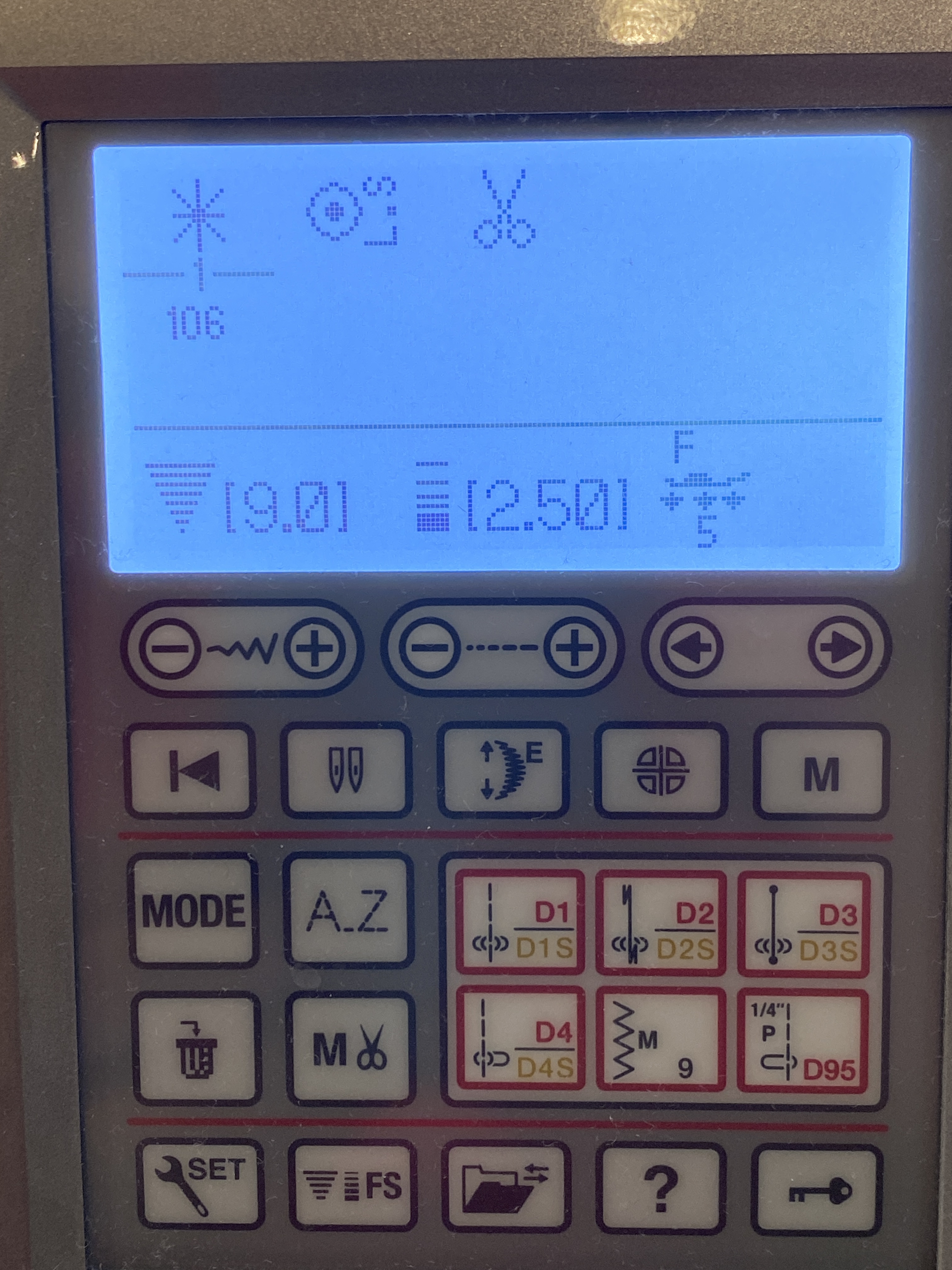
You can bet I saved that stitch sequence to my machine’s memory bank, too!
 Come Stitch With Me